Guide
Sensor Tuning
Where to find it: Security → Sensor Tuning
Sensor tuning means adjusting your monitoring so it alerts on what matters and stays quiet about what does not. You do this by setting policies, which are clear rules about what Velos Shield should look for. Good tuning reduces false alarms while still keeping a close eye on your critical industrial systems.
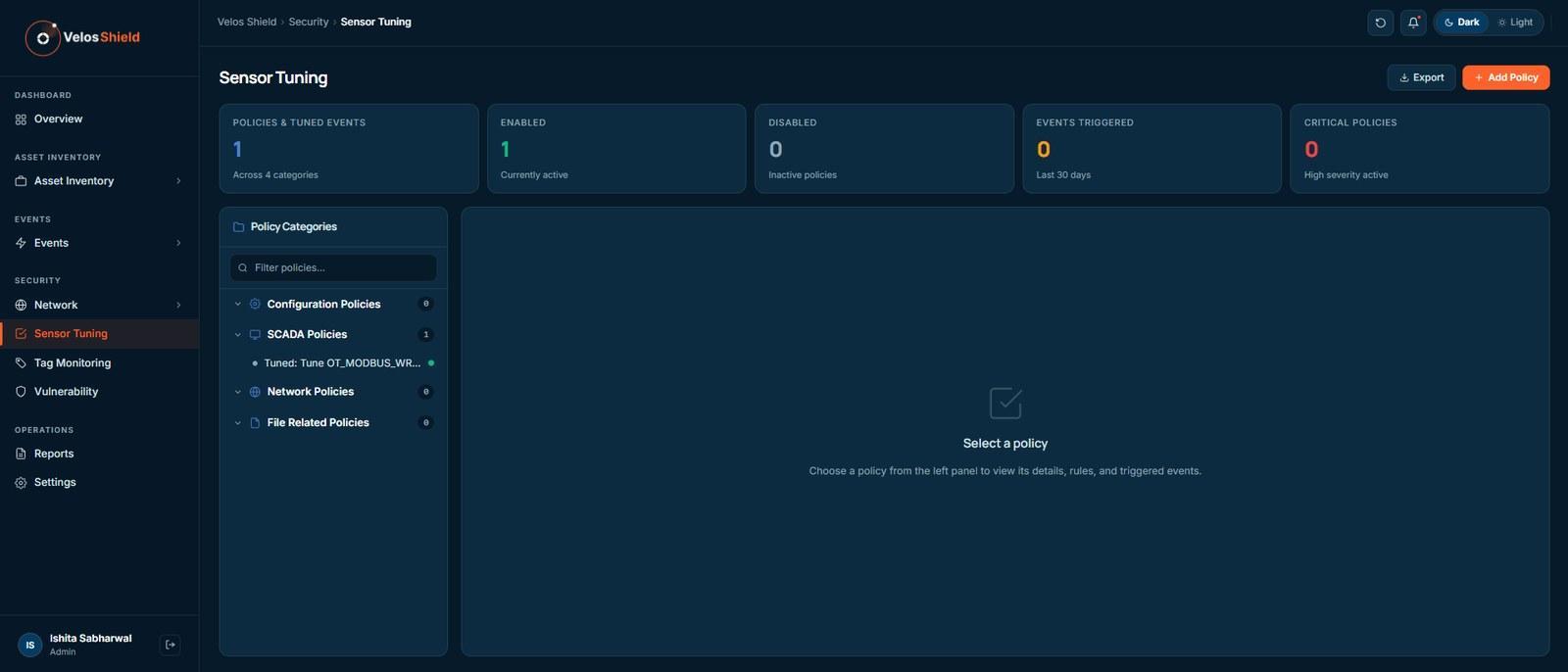
Figure 15. Sensor Tuning page.
Policy overview
| Item | What it shows |
|---|---|
| Policies & Tuned Events | The total number of policies and events that have been tuned. |
| Enabled | How many policies are switched on. |
| Disabled | How many policies are switched off. |
| Events Triggered | How many events your policies have created. |
| Critical Policies | How many policies are set to Critical severity. |
Policy categories
| Category | What it covers |
|---|---|
| Configuration Policies | Changes to how devices are set up or programmed. |
| SCADA Policies | Commands and changes that affect the industrial process. |
| Network Policies | Activity on the network, such as new devices and new connections. |
| File Related Policies | Files being transferred to or from devices. |
Add a policy
New policies can be added using the ‘Add New Policy’ button. Attributes like add Policy Name, Policy ID, Category, Severity, Status, Description, Rules, Trigger Conditions and Live Enforcement Conditions.
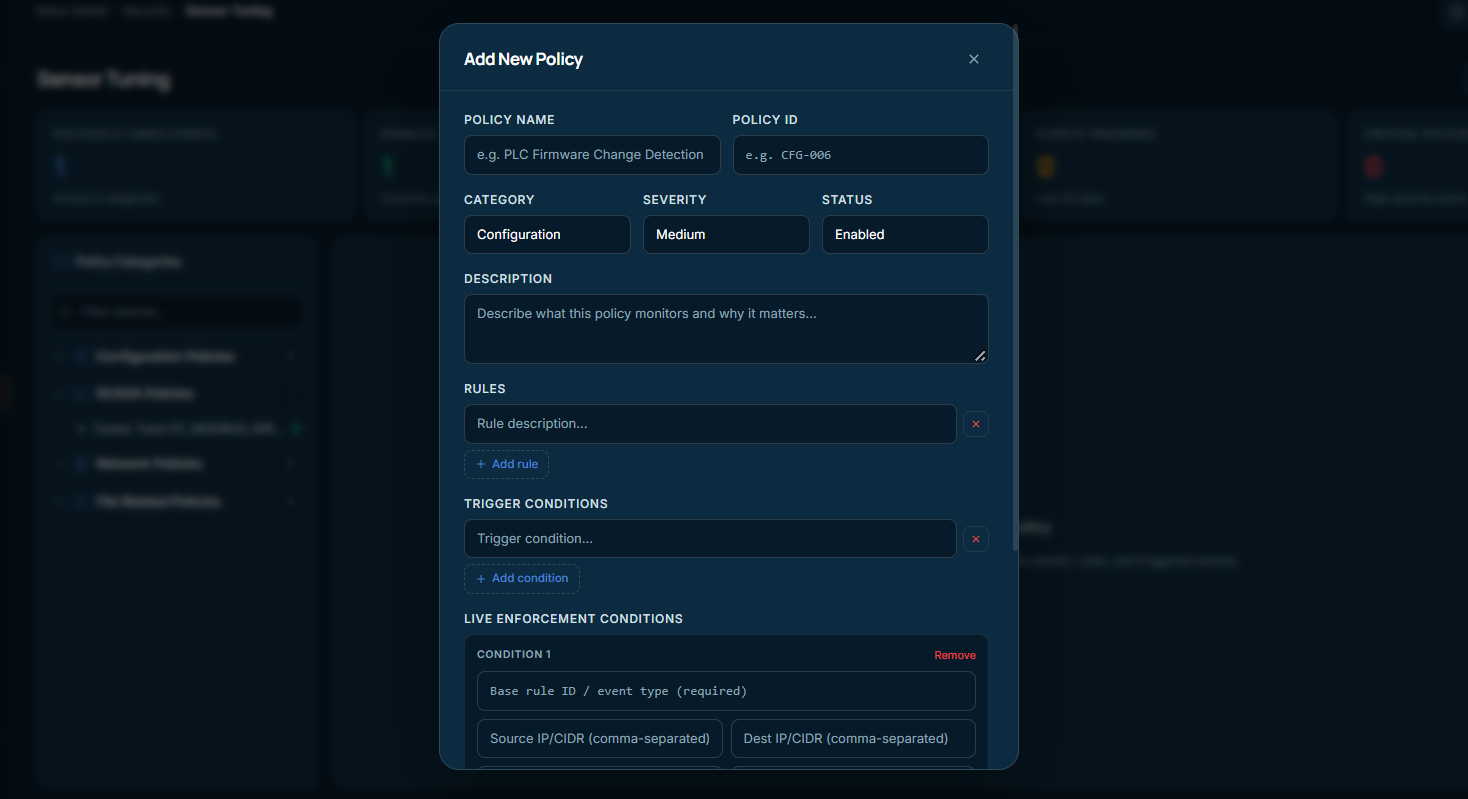
Figure 16. Add New Policy Dialog