Guide
Vulnerability
A vulnerability is a known weakness in a device or its software that an attacker could use. Each one has a public ID called a CVE (Common Vulnerabilities and Exposures) number. This page lists the vulnerabilities Velos Shield found on your devices and what you can do about them.
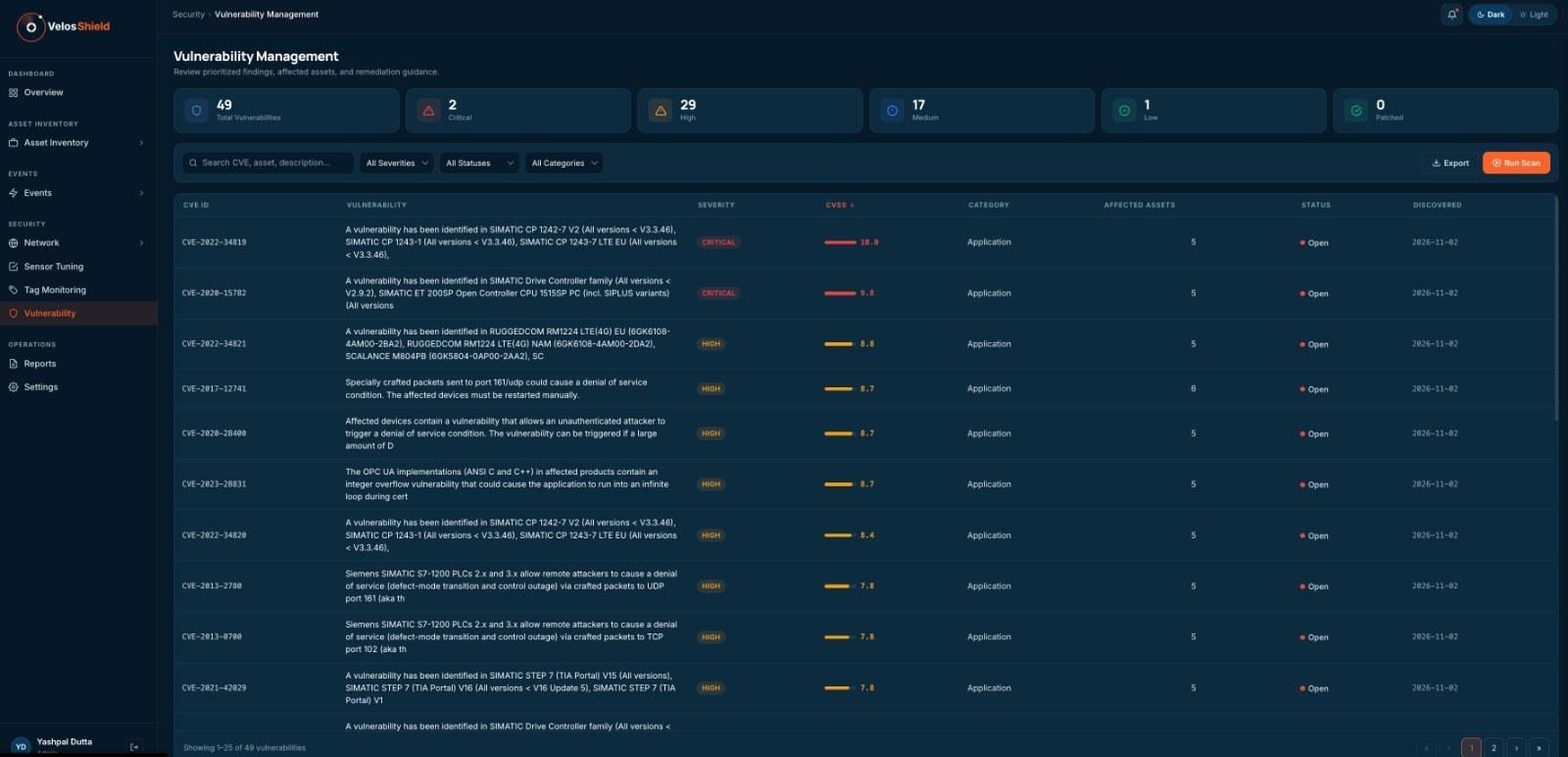
Figure 18. Vulnerability Management list.
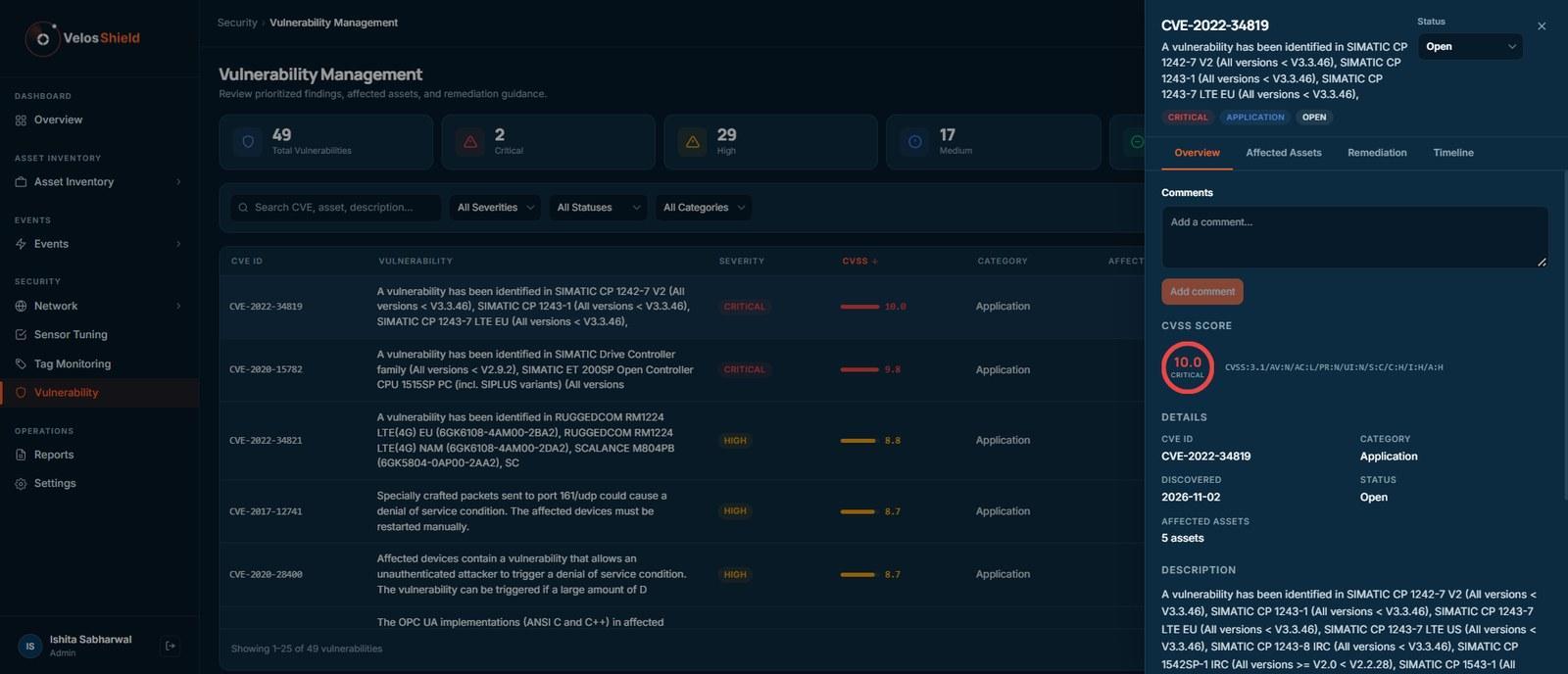
Figure 19. Vulnerability detail panel with tabs for Overview, Affected Assets, Remediation, and Timeline.
Summary cards
| Card | What it shows |
|---|---|
| Total Vulnerabilities | The number of vulnerabilities found. |
| Critical / High / Medium / Low | How many fall into each severity level. Critical is the most serious. |
| Patched | How many have been fixed. |
What each vulnerability column means
| Column | What it tells you |
|---|---|
| CVE ID | The public ID number of the weakness. |
| Vulnerability | The name or short description of the weakness. |
| Severity | How serious it is: Critical, High, Medium, or Low. |
| CVSS | A score from 0 to 10 for how severe the weakness is. Higher means more serious. |
| Category | The type of weakness. |
| Affected Assets | The devices that have this weakness. |
| PLC IP | The address of the affected controller. |
| Status | Whether the weakness is still open or has been patched. |
| Discovered | When Velos Shield found it. |